CircleExplosionLayer 圆爆炸扩散图层
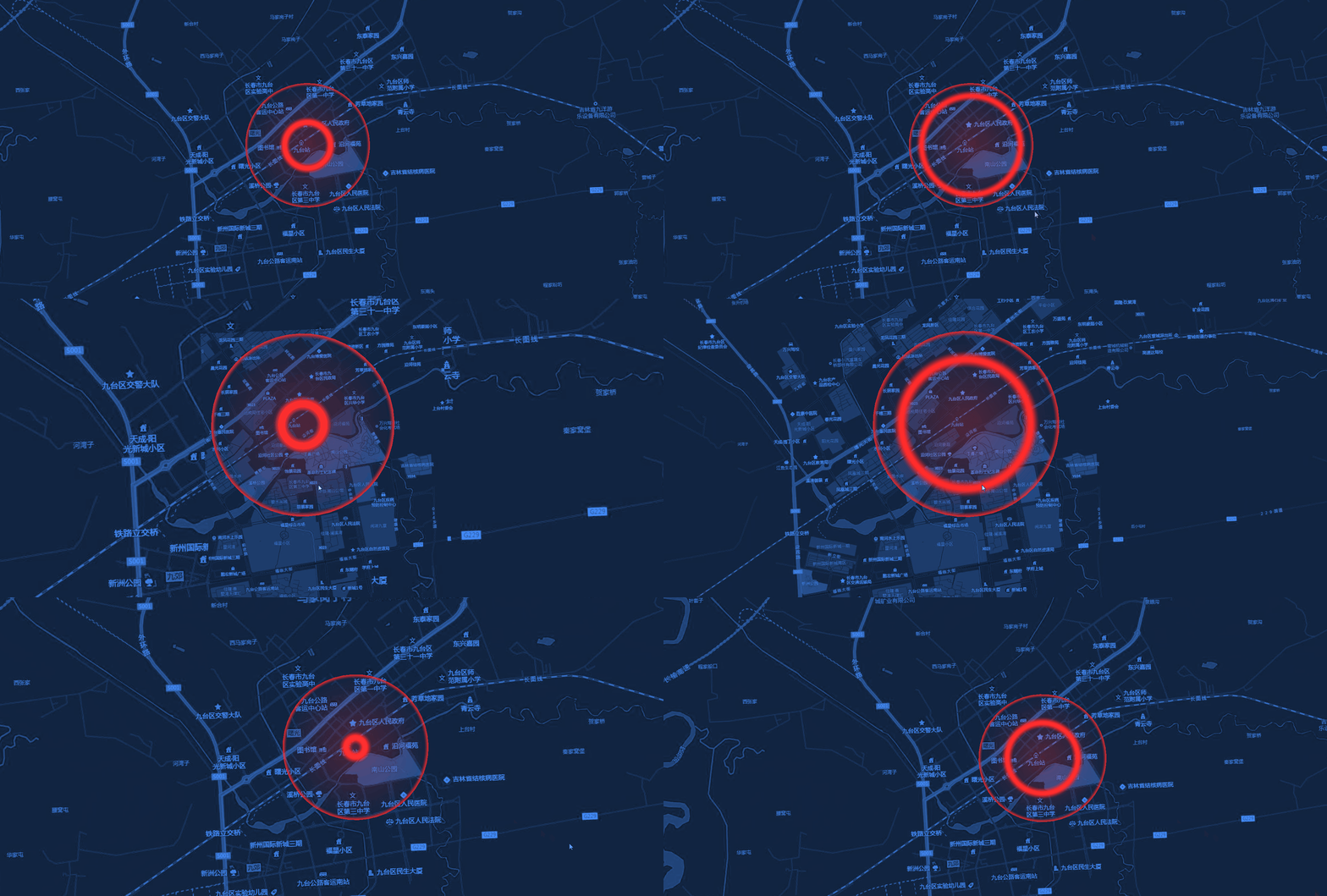
PointRippleLayer 类用于在 Cesium 中实现圆形爆炸扩散效果。该图层利用自定义材质和 Entity 的 ellipse 图形来实现类似冲击波向外扩散的动态视觉效果。
效果预览:
构造函数
new CircleExplosionLayer(viewer, config)
| 参数 | 类型 | 描述 |
|---|---|---|
| viewer | object | Cesium Viewer 实例 |
| config | object | 全局默认样式配置项 |
config 参数说明
| 参数 | 类型 | 默认值 | 描述 |
|---|---|---|---|
| color | string | '#ff2a2a' | 爆炸扩散圆的颜色 |
| radius | number | 1000 | 扩散最大半径(单位:米) |
| duration | number | 2000 | 单次扩散周期的持续时间(单位:毫秒) |
| speed | number | 1.0 | 扩散速度倍率 |
| fillAlpha | number | 0.25 | 中心填充透明度 |
| edgeWidth | number | 0.03 | 边缘相对宽度 |
| waveWidth | number | 0.05 | 扩散波相对宽度 |
| height | number | 0 | 离地高度 |
方法说明
setData(data)
- 参数:
data(Array) - 符合 数据规范 的点数据数组。 - 描述:清空当前图层并批量加载爆炸扩散圆。
addLayer(options)
- 参数:
options(Object) - 单个爆炸点的配置。geometry: 包含coordinates(经纬度数组)。properties: 可选,包含id,radius,color,duration,speed,fillAlpha,edgeWidth,waveWidth等,用于覆盖全局配置。
- 返回值:
Cesium.Entity - 描述:在图层中添加一个动态爆炸扩散圆。
clearLayer()
- 描述:移除当前图层中所有的 Entity。
show() / hide()
- 描述:控制图层的显示与隐藏。
getLayerById(id)
- 参数:
id(string) - 扩散点的唯一标识符。 - 返回值:
Cesium.Entity | null
removeById(id)
- 参数:
id(string) - 扩散点的唯一标识符。
destroy()
- 描述:从场景中移除数据源并销毁图层。
使用示例
js
import { MapLayers } from "@/components/BMapViewer/b-map-viewer.js";

// 1. 初始化图层
const explosionLayer = new MapLayers.CircleExplosionLayer(viewer, {
    color: '#ffaa00',
    radius: 500
});

// 2. 加载数据
explosionLayer.setData([
    {
        geometry: {
            type: 'Point',
            coordinates: [116.38, 39.92, 0]
        },
        properties: {
            id: 'explosion-1',
            fillAlpha: 0.4
        }
    }
]);

// 3. 获取实体
const entity = explosionLayer.getLayerById('explosion-1');
实现细节
- 图层在初始化时会自动调用
registerCircleExplosionMaterial()来注册名为CircleExplosion的自定义材质。 - 实体的渲染基于
ellipse图形的semiMajorAxis和semiMinorAxis。
NOTE
源码中 removeById 方法目前存在调用 getById 的命名不统一问题(应为 getLayerById),在实际使用时请留意。