CircleGroupLayer 圆形组图层
CircleGroupLayer 类用于在 Cesium 中批量加载和管理圆形要素。它基于 Cesium.CustomDataSource 实现,利用 Entity API 的 ellipse 图形来绘制圆或椭圆,支持填充色、边框、拉伸高度以及不透明度等配置。
效果预览:
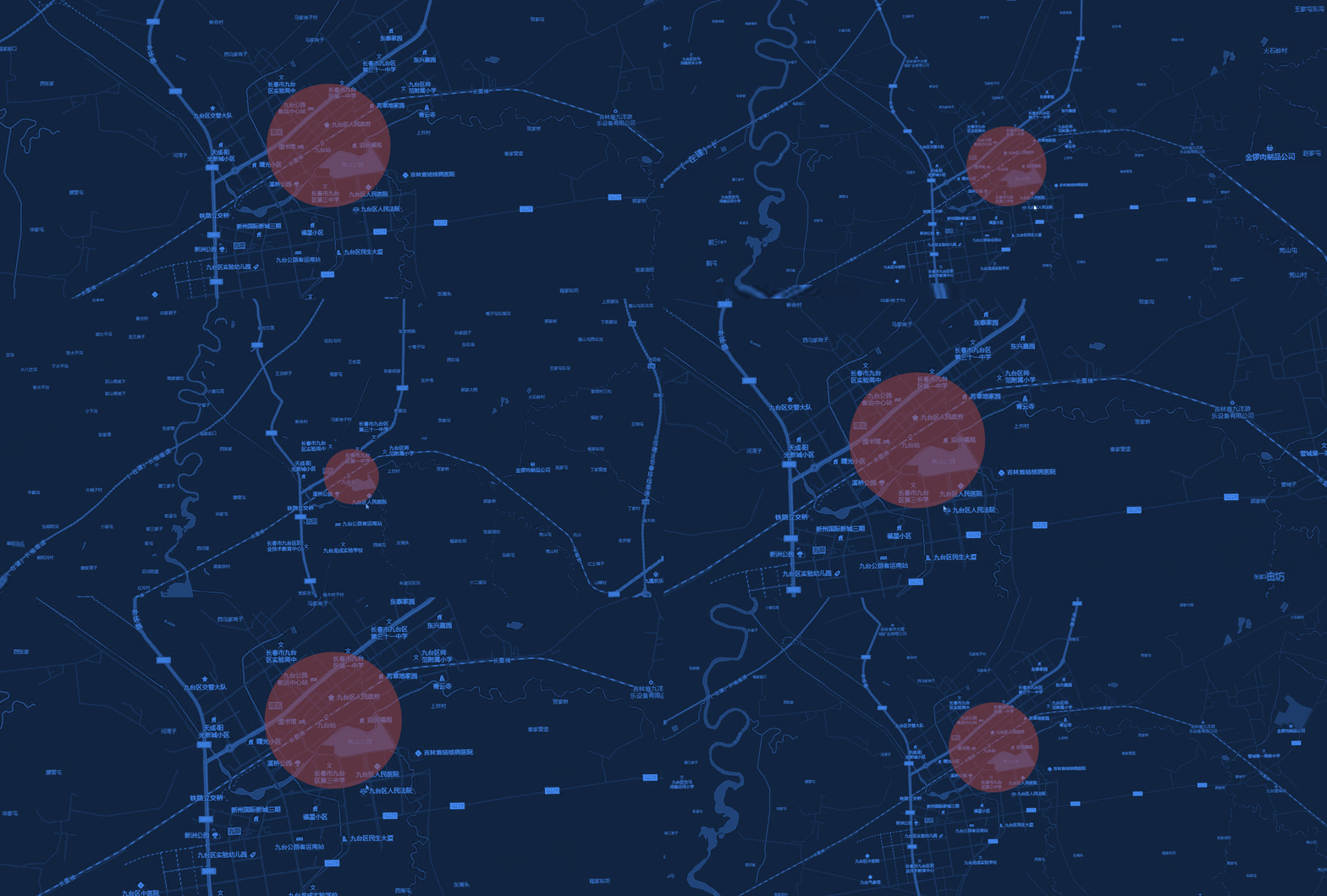
构造函数
new CircleGroupLayer(viewer, config)
| 参数 | 类型 | 描述 |
|---|---|---|
| viewer | object | Cesium Viewer 实例 |
| config | object | 全局全局配置项 |
config 参数说明
| 参数 | 类型 | 默认值 | 描述 |
|---|---|---|---|
| radius | number | 100 | 默认半径(单位:米) |
| xRadius | number | 100 | 椭圆的长半轴(如果设置则优先于 radius) |
| yRadius | number | 100 | 椭圆的短半轴(如果设置则优先于 radius) |
| fillColor | string | '#40aee2ff' | 填充颜色 (RGBA) |
| opacity | number | 1 | 填充颜色透明度 (0-1) |
| outline | boolean | false | 是否显示边框 |
| outlineColor | string | '#11374cff' | 边框颜色 |
| outlineWidth | number | 2 | 边框宽度 |
| height | number | 0 | 底部海拔高度 |
| extrudedHeight | number | undefined | 拉伸高度(实现圆柱效果) |
| rotation | number | 0 | 旋转角度(弧度) |
方法说明
setData(data)
- 参数:
data(Array) - 符合 数据规范 的点数据数组。 - 描述:清空当前图层并批量加载圆要素。
addLayer(options)
- 参数:
options(Object) - 单个圆的配置,包含geometry(点) 和properties。 - 返回值:
Cesium.Entity - 描述:在图层中添加一个圆。支持在
properties中覆盖全局配置(如xRadius,fillColor,opacity等)。
clearLayer()
- 描述:清空图层中所有的 Entity。
show() / hide()
- 描述:控制图层的显示与隐藏。
getLayerById(id)
- 参数:
id(string) - 圆的唯一标识符。 - 返回值:
Cesium.Entity | null
removeLayer(circle)
- 参数:
circle(Cesium.Entity) - 需要移除的圆实例。
removeLayerById(id)
- 参数:
id(string) - 唯一标识符。
destroy()
- 描述:从场景中移除数据源并销毁图层。
使用示例
js
import { MapLayers } from "@/components/BMapViewer/b-map-viewer.js";

// 1. 初始化圆形组图层
const circleLayer = new MapLayers.CircleGroupLayer(viewer, {
    fillColor: '#ff0000',
    opacity: 0.5,
    radius: 500,
    outline: true
});

// 2. 加载数据
circleLayer.setData([
    {
        geometry: {
            type: 'Point',
            coordinates: [116.40, 39.90]
        },
        properties: {
            id: 'circle-1',
            xRadius: 1000, // 覆盖全局半径,变为椭圆
            yRadius: 500,
            fillColor: '#00ff00'
        }
    }
]);

// 3. 销毁图层
// circleLayer.destroy();